Modeling software Product List and Ranking from 18 Manufacturers, Suppliers and Companies | IPROS

Last Updated: Aggregation Period:Jun 03, 2026~Jun 30, 2026
This ranking is based on the number of page views on our site.

Modeling software Manufacturer, Suppliers and Company Rankings

Last Updated: Aggregation Period:Jun 03, 2026~Jun 30, 2026
This ranking is based on the number of page views on our site.

  1. アルティマグラフィックス Tokyo//Information and Communications
  2. B7 Tokyo//Information and Communications
  3. Bentley Systems LLC Tokyo//Service Industry
  4. 4 アルファコックス Tokyo//Trading company/Wholesale
  5. 5 オフィスプラス Tokyo//retail

Modeling software Product ranking

Last Updated: Aggregation Period:Jun 03, 2026~Jun 30, 2026
This ranking is based on the number of page views on our site.

  1. [Completely Free] 3D Architectural Design Software 'form・Z free' アルティマグラフィックス
  2. iTwin Capture Modeler Bentley Systems LLC
  3. Software "FLO-2D Pro" B7
  4. 4 SketchUp Studio アルファコックス
  5. 4 MODTRAN B7

Modeling software Product List

1~30 item / All 42 items

Displayed results

2D Assembly Drawing → 3D Conversion CADPAC 3D Function Introduction Video

We will clearly introduce the features of CADPAC 3D through video and audio.

In this video, we will transfer a 2D drawing to 3D and perform 3D modeling while utilizing it as a sketch. By leveraging past assets, we can efficiently create 3D models without errors.

  • Drawing, tracing, CAD
  • Modeling software

Added to bookmarks

Bookmarks list

Bookmark has been removed

Bookmarks list

You can't add any more bookmarks

By registering as a member, you can increase the number of bookmarks you can save and organize them with labels.

Free membership registration

Modeling of Warm Warm Wheel & Spiral Application Examples [Seminar]

As a bonus, we will present you with a manual illustrating the operational procedures for the modeling and spiral command applications introduced in this seminar.

Do you have concerns like 'I want to know how to use 3D more efficiently!' or 'I want to create screws, spirals, and spiral staircases, but which commands should I use?' This is Part 2 of the 3D modeling seminar that was held in April and received great acclaim. In this seminar, we will introduce efficient drawing procedures for CADPAC-3D through modeling of 'worm and worm wheels' and applications of the 'spiral' command, effectively using wires, surfaces, and solids. By effectively combining wires, surfaces, and solids, you will expand your modeling capabilities. If you participate in the survey after viewing, you will receive a manual with illustrated operational procedures for the modeling and applications of the spiral command introduced in this seminar as a special gift.

  • Drawing, tracing, CAD
  • Other CAD
  • Modeling software

Added to bookmarks

Bookmarks list

Bookmark has been removed

Bookmarks list

You can't add any more bookmarks

By registering as a member, you can increase the number of bookmarks you can save and organize them with labels.

Free membership registration

3D Acquisition Seminar Part 2: "Direct Editing"

We will introduce the features of CADPAC-3D, focusing on "intuitive operations" and the use of convenient commands for direct editing.

We are pleased to announce the second seminar on "Direct Editing" as part of the "3D Learning Seminar (6 sessions in total)" where you can learn various features of CADPAC-3D, which received great acclaim in the first session on "Direct Modeling." Customers who participate in this seminar will be invited to the "Follow-up Seminar" scheduled for August 7. In the "Follow-up Seminar," we plan to provide a more detailed explanation of the features introduced in this seminar and allocate time to answer questions submitted in the survey. Customers who are unable to attend the seminar on the day or those who wish to attend only the Follow-up Seminar can register for this seminar, and we will send you information about the seminar video and an invitation to participate in the Follow-up Seminar later. We encourage both CADPAC-3D users and those who have not yet adopted it to participate, as we hope this will be helpful for learning 3D features and operations.

  • Drawing, tracing, CAD
  • Modeling software

Added to bookmarks

Bookmarks list

Bookmark has been removed

Bookmarks list

You can't add any more bookmarks

By registering as a member, you can increase the number of bookmarks you can save and organize them with labels.

Free membership registration

3D modeling software bonzai3D

Three-dimensional modeling software developed for concept design and idea sketching.

It is a three-dimensional modeling software developed for concept design and idea sketching.

  • Scientific Calculation and Simulation Software
  • Modeling software

Added to bookmarks

Bookmarks list

Bookmark has been removed

Bookmarks list

You can't add any more bookmarks

By registering as a member, you can increase the number of bookmarks you can save and organize them with labels.

Free membership registration

Form Z: Functions Suitable for Industrial Design

Exactly the new Form Z!

We offer a wide range of tools that support curve and surface design, meeting the needs of industrial designers. We flexibly accommodate diverse designs, from automobiles to everyday items, furniture, and crafts.

Added to bookmarks

Bookmarks list

Bookmark has been removed

Bookmarks list

You can't add any more bookmarks

By registering as a member, you can increase the number of bookmarks you can save and organize them with labels.

Free membership registration

Form Z Visualization

Visually express the designer's image along with its form.

In Form·Z RenderZone/Form·Z RadioZity, realistic CG screens can be created. Even if there are changes in design, materials, or colors, there is no need to switch between software for rendering.

Added to bookmarks

Bookmarks list

Bookmark has been removed

Bookmarks list

You can't add any more bookmarks

By registering as a member, you can increase the number of bookmarks you can save and organize them with labels.

Free membership registration

SketchUp Studio

The top-tier series that combines point cloud software and rendering software with SketchUp.

SketchUp Studio is the top-tier series best suited for applications in architecture, construction, civil engineering, plant management, and consulting. In addition to the features of the SketchUp Pro subscription, it includes the plugin software "Scan Essentials," which allows for the import and drawing of point cloud data in SketchUp, as well as point cloud synthesis and modeling based on point clouds. It also comes with "V-Ray for SketchUp," which enables realistic and photorealistic rendering. This valuable package allows you to import point cloud data obtained from 3D scanners or drones, synthesize it with models created in SketchUp, and create 3D models based on point cloud data, producing realistic perspectives using V-Ray. The cloud service "Trimble Connect" is also available with unlimited storage, allowing for group sharing and viewing of related drawings, documents, and photos for each project, accessible via browser, desktop app, or smartphone app.

  • Other CAD
  • Modeling software

Added to bookmarks

Bookmarks list

Bookmark has been removed

Bookmarks list

You can't add any more bookmarks

By registering as a member, you can increase the number of bookmarks you can save and organize them with labels.

Free membership registration

Introducing two bundle sets for easy and convenient smartphone surveying!

We offer two plans: a simple course and a high-precision course! This is suitable for those with no experience in surveying work as well as for use as supplementary measurements for existing tasks!

【Easy Course】: Generation and Sharing of 3D Models (Content) - PIX4Dcatch: Smartphone measurement tool Free Available for download on App Store/Google Play - PIX4Dcloud: Browser processing tool 【High Precision Course】: Generate higher precision 3D models (Content) - viDoc RTK rover: Easily capture images for SfM with high-precision RTK positioning Attach to your smartphone and use in conjunction with the PIX4Dcatch app via Bluetooth - PIX4Dmatic: Successor software to PIX4Dmapper Generates point clouds, orthophotos, etc. from images Reflects LiDAR functionality not available in PIX4Dmapper - On-site training: Our technical staff will visit anywhere in the country. For more details, please refer to the attached catalog below.

  • Other Software
  • Modeling software

Added to bookmarks

Bookmarks list

Bookmark has been removed

Bookmarks list

You can't add any more bookmarks

By registering as a member, you can increase the number of bookmarks you can save and organize them with labels.

Free membership registration

High-speed 3D modeling software 'PINO'

High-speed 3D modeling software that can instantly model point cloud data.

"PINO" is software that allows for easy and rapid 3D modeling from 3D point clouds of structures, enabling the creation of 3D models. Since it aggregates standardized components and rules and knowledge from various fields, modeling is possible even without specialized knowledge. It can import 3D models in various file formats. Additionally, it is capable of outputting the created 3D models in formats suitable for subsequent process systems. 【Features】 ■ Instant modeling of point cloud data ■ Easy operation ■ Compatible with point clouds from various laser scanners ■ Supports input and output of various file types ■ Simple enough for beginners with no modeling experience *For more details, please refer to the PDF materials or feel free to contact us.

  • Other Software
  • Modeling software

Added to bookmarks

Bookmarks list

Bookmark has been removed

Bookmarks list

You can't add any more bookmarks

By registering as a member, you can increase the number of bookmarks you can save and organize them with labels.

Free membership registration

3D modeling

30% reduction in modeling man-hours! Accelerating development through the standardization and efficiency of introduction modeling.

"3D modeling" is a process that can dramatically improve productivity, speed, and accuracy in the development process. It allows for visual confirmation of shapes that are difficult to prototype, enabling discussions and analyses during the development stage. Additionally, we respond to manufacturing needs by using "design review models," "mold production models," and "analysis models." 【Features】 ■ Design review model → 3D data to confirm the relationship with other parts ■ Mold production model → 3D data that can be directly used when creating mold data ■ Analysis model → 3D data that meshes the necessary parts and is less prone to creation errors *For more details, please refer to the PDF document or feel free to contact us.

  • Access analysis tools
  • Modeling software

Added to bookmarks

Bookmarks list

Bookmark has been removed

Bookmarks list

You can't add any more bookmarks

By registering as a member, you can increase the number of bookmarks you can save and organize them with labels.

Free membership registration

Architectural perspective promotional CG production, naturally beautiful photorealistic.

Free creation where design and expressiveness are pursued. Utilizing high-level CG knowledge and practical experience learned abroad for creative video production.

The essential hero image for promotions serves as a character image that enhances sales promotion, and the impression it leaves on the audience is influenced by that image. At Stylus, we provide rendering images that capture the target audience using high-level CG techniques.

  • others
  • Modeling software

Added to bookmarks

Bookmarks list

Bookmark has been removed

Bookmarks list

You can't add any more bookmarks

By registering as a member, you can increase the number of bookmarks you can save and organize them with labels.

Free membership registration

[Example] 3D Capture of Underground Electrical Equipment

A case study of 3D capture of underground electrical facilities by the Anchorage municipal power company. Achieving fast and reliable 3D capture in narrow spaces.

Anchorage Municipal Light & Power (ML&P) has launched an ambitious program to model all electrical substations and underground facilities in its service area in full-color 3D. This includes over 500 facilities, with the goal of creating accurate, comprehensive, and up-to-date 3D data in full color for each site. For more details, please download the materials.

  • Other Software
  • Modeling software

Added to bookmarks

Bookmarks list

Bookmark has been removed

Bookmarks list

You can't add any more bookmarks

By registering as a member, you can increase the number of bookmarks you can save and organize them with labels.

Free membership registration

Virtual construction site space with digital twin solutions.

By combining 3D laser scanning measurements and 4K + 3D imaging, a virtual site model space is completed!

By combining two technologies, it is possible to create a virtual site model space. 【3D Laser Scanner Measurement Features】 ■ Dimension Measurement You can measure dimensions on a PC using point cloud data. Since pipe diameters can also be measured, there is no need to visit the site multiple times. ■ Modeling 3D modeling of structures, pipes, ducts, equipment, racks, and steel materials is performed from point clouds. We respond quickly using the automatic pipe modeling function. ■ Construction Drawings Construction drawings for air conditioning and sanitation are created from the modeling data. Even without existing drawings, they can be used as highly accurate construction drawings. 【4K + 3D Photography】 ■ On-site Investigation You can freely walk through the 3D modeled building and check every corner. Since shooting is also possible within the model, it significantly reduces the time spent on-site. ■ Recording Utilizing the short shooting time feature, it is also possible to take recordings for each process. High-quality data can be used for various materials such as completion documents. ■ Meetings No app is required, and access is possible from smartphones and tablets. Sharing the 3D model for meetings leads to improved work efficiency.

  • Architectural design office
  • Structural Design Office
  • CG Perspective
  • Modeling software

Added to bookmarks

Bookmarks list

Bookmark has been removed

Bookmarks list

You can't add any more bookmarks

By registering as a member, you can increase the number of bookmarks you can save and organize them with labels.

Free membership registration

3D modeling CAD software [Trimble SketchUp]

Bring your imagination to life with a fully equipped desktop modeler.

SketchUp, unlike regular CAD, allows you to easily and efficiently create 3D data with somewhat complex shapes using the "Push/Pull" tool to push and pull. You can rotate the model in 3D with an orbit, experiencing the 3D space that unfolds within the monitor. You can apply materials with a single click on a surface, and it's also possible to import original image data to use as materials. 3D Warehouse Access millions of free models. You can instantly add surrounding environments and context to your project using free models from 3D Warehouse, the largest and most popular 3D library in the world. Scan Essentials Import point cloud data into SketchUp, enabling the synthesis of models and point clouds, as well as modeling based on point clouds. You can import point clouds from 3D scans, drones, LIDAR sensors, and mobile mapping and display them in SketchUp. Supported file formats include E57, RWP, LAZ, TZF, LAS, and PLY.

  • others
  • Modeling software

Added to bookmarks

Bookmarks list

Bookmark has been removed

Bookmarks list

You can't add any more bookmarks

By registering as a member, you can increase the number of bookmarks you can save and organize them with labels.

Free membership registration

Software "FLO-2D Pro"

You can build models using QGIS and the FLO-2D plugin! It has features like a mapper.

"FLO-2D Pro" is software that can create models of surface water and river hydraulics and hydrodynamics. It simulates various scenarios such as urban flooding, alluvial fans, coastal flooding, dam failures, and the siting of solar and wind power plants. It allows for the processing and editing of grid data, graphical editing of river structures, and the creation of flood risk and flood hazard maps. 【Features】 ■ Create models of hydraulics and hydrodynamics ■ Capable of modeling various types of surface water and rivers ■ Build models using QGIS and the FLO-2D plugin ■ Combines hydrological and hydrodynamic models, eliminating the need to separate rainfall/runoff and flood outflow *For more details, please refer to the related links or feel free to contact us.

  • Company:B7
  • Price:Other
  • Other Software
  • Scientific Calculation and Simulation Software
  • Modeling software

Added to bookmarks

Bookmarks list

Bookmark has been removed

Bookmarks list

You can't add any more bookmarks

By registering as a member, you can increase the number of bookmarks you can save and organize them with labels.

Free membership registration

Environmental modeling software "Aquaveo"

We also offer advanced software for conducting groundwater and surface water simulations in a 3D environment!

"Aquaveo" is environmental modeling software used for modeling groundwater, surface water, and watershed hydrology and hydraulics. It includes advanced software systems for conducting groundwater simulations in a three-dimensional environment, such as the "Groundwater Modeling System," as well as a complete watershed solution used for automated delineation, hydrologic and hydraulic modeling, flood surveying, and storm drain modeling, known as the "Watershed Modeling System." Please feel free to contact us if you have any inquiries. 【Products】 ■Groundwater Modeling System ■Surface-water Solution ■Watershed Modeling System ■Arc Hydro Groundwater *For more details, please refer to the related links or feel free to contact us.

  • Company:B7
  • Price:Other
  • Other Software
  • Modeling software

Added to bookmarks

Bookmarks list

Bookmark has been removed

Bookmarks list

You can't add any more bookmarks

By registering as a member, you can increase the number of bookmarks you can save and organize them with labels.

Free membership registration

Statistical Innovations

Innovative applications of statistical modeling are our specialty! We offer a variety of products.

We would like to introduce "Statistical Innovations," which we handle. We specialize in innovative applications of statistical modeling to obtain meaningful segments, particularly using latent class, discrete choice, and other latent variable models, and we offer products. We have products such as the powerful latent class and finite mixture program "Latent GOLD" and "SI-CHAID," which performs tree-based analysis. 【Product Lineup】 ■Latent GOLD ■COR Express ■SI-CHAID ■GOLDMineR *For more details, please refer to the PDF materials or feel free to contact us.

  • Company:B7
  • Price:Other
  • Scientific Calculation and Simulation Software
  • Modeling software

Added to bookmarks

Bookmarks list

Bookmark has been removed

Bookmarks list

You can't add any more bookmarks

By registering as a member, you can increase the number of bookmarks you can save and organize them with labels.

Free membership registration

【Case study video now available!】 Solve factory management challenges with "3D Complete Factory"!

Case study video now available! Solve factory management challenges with '3D All-in-One Factory'!

We perform a complete 3D scan of the factory and accurately model it to scale. Furthermore, we utilize a 3D printer to output equipment, streamlining layout considerations! Using a 3D laser scanner, we scan existing buildings and equipment, as well as outdoor areas in their entirety. ~Until now~ - Since the factory is undergoing expansion, there are no blueprints! The blueprints do not match the current situation! - Layout considerations were made in 2D, leading to interference with ceiling piping! - I want to better understand complex shapes. 【When performing 3D scanning/3D modeling】 ■ Even in a "factory with complicated piping," having 3D data allows for a clear understanding of the current situation! ■ Since the entire factory can be comprehended in three dimensions, it eliminates the need for multiple revisions by checking both horizontal and vertical interferences simultaneously! This reduces the time spent on layout considerations! ■ Additionally, outputting equipment with a "3D printer" enables "smoother discussions among multiple people"! ☆ Available data: Photo viewer / Point cloud viewer / 3D modeling data *Can be provided in your specified file format! 《Case studies can be viewed from [Catalog Download]》

  • Picking robots (shelf transport robots, arm picking robots)
  • Modeling software

Added to bookmarks

Bookmarks list

Bookmark has been removed

Bookmarks list

You can't add any more bookmarks

By registering as a member, you can increase the number of bookmarks you can save and organize them with labels.

Free membership registration

[Design Development] 2D to 3D Modeling of Equipment Racks

By integrating with point cloud data, it enables "visualization" as well as advanced design!

Our company is engaged in 3D modeling of equipment racks in 2D. As the concept of BIM becomes more widespread, the transition from 2D documentation to 3D documentation is becoming commonplace. By integrating point cloud data, we can achieve "visualization" along with advanced design capabilities. Please feel free to contact us when you need our services. *For more details, please download the PDF or feel free to contact us.

  • Other services and technologies
  • Modeling software

Added to bookmarks

Bookmarks list

Bookmark has been removed

Bookmarks list

You can't add any more bookmarks

By registering as a member, you can increase the number of bookmarks you can save and organize them with labels.

Free membership registration

iTwin Capture Modeler

Automatically convert real-world data into a digital reality mesh!

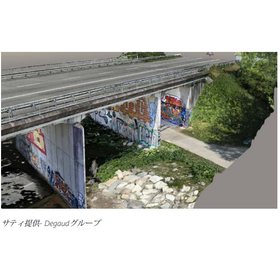
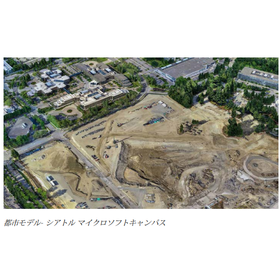
The "iTwin Capture Modeler" is software that creates high-quality digital context reality modeling for workflows in design, engineering, construction, and operations. It allows for the import of various reality data, enabling a range of data ingestion workflows. You can use any digital camera, scanner, or mobile mapping device to create reality meshes, point clouds, orthophotos, and more. With powerful graphical processing units and parallel computing capabilities, processing urban-scale scenes can be dramatically accelerated, allowing for creation in just a few days. 【Features】 ■ Creation and enhancement of reality data ■ Scalability and parallel computing ■ Easy reality capture *For more details, please download the PDF or feel free to contact us.

  • 4-2.png
  • Architectural Design Software
  • Modeling software

Added to bookmarks

Bookmarks list

Bookmark has been removed

Bookmarks list

You can't add any more bookmarks

By registering as a member, you can increase the number of bookmarks you can save and organize them with labels.

Free membership registration

3D modeling ideas freely - CADPAC 3D introduction video

We will clearly introduce the features of CADPAC 3D through video and audio.

In this video, you can check the features of CADPAC-3D while actually modeling the driver's seat of a riding lawn mower.

  • Drawing, tracing, CAD
  • Modeling software

Added to bookmarks

Bookmarks list

Bookmark has been removed

Bookmarks list

You can't add any more bookmarks

By registering as a member, you can increase the number of bookmarks you can save and organize them with labels.

Free membership registration

Visualizing product issues and effective countermeasures [Seminar]

Using 2D drawings, easy modeling can be done with "CADPAC-3D." Furthermore, you can also see structural analysis using that model.

When turning an idea into a product, I believe it is often considered based on the "experience" gained from previous designs and the "track record" of products that have been commercialized. To make the most of your valuable ideas, why not visualize the product's issues and areas for improvement? The theme of this seminar is to create a 3D model based on existing 2D drawings and conduct structural analysis on that model to visualize the product's problems. Even if you think, "We have enough with 2D CAD, and we can manage with our past experience without creating 3D models," or "The effort of analysis is bothersome, and I can't find the time," we encourage you to participate. With "3D" and "analysis," effective measures can be implemented.

  • Drawing, tracing, CAD
  • Modeling software

Added to bookmarks

Bookmarks list

Bookmark has been removed

Bookmarks list

You can't add any more bookmarks

By registering as a member, you can increase the number of bookmarks you can save and organize them with labels.

Free membership registration

CAD/CAM system Other convenient features

We are introducing various functions other than modeling.

KEYCREATOR's "Other Useful Functions" include features such as "Surface Unfolding/Wrapping," which allows you to unfold surfaces created in KeyCreator onto a plane and vice versa, returning points or curves from the unfolded plane back to the original surface; "Core/Cavity Division," which lets you set division methods and movement amounts to split an object into core and cavity; "Sheet Metal Unfolding," which unfolds all bent plates and creates start lines, center lines, and end lines during the unfolding process; and "Static Interference Check," which allows you to check the interference and inclusion states of multiple solid objects, where solids with interference become translucent and the interfering parts are created as new solids displayed in red shading. For more details, please download the catalog.

  • Drawing, tracing, CAD
  • Architectural CAD
  • Modeling software

Added to bookmarks

Bookmarks list

Bookmark has been removed

Bookmarks list

You can't add any more bookmarks

By registering as a member, you can increase the number of bookmarks you can save and organize them with labels.

Free membership registration

Form Z: Functions suitable for architectural and civil engineering design

You can model with a sense of creating a model.

It has received high praise from architects, civil engineers, and interior designers.

  • Soil improvement material
  • Modeling software

Added to bookmarks

Bookmarks list

Bookmark has been removed

Bookmarks list

You can't add any more bookmarks

By registering as a member, you can increase the number of bookmarks you can save and organize them with labels.

Free membership registration

Form Z CAD-like features

Form Z is a modeling tool that has the operability of CAD.

This is a notice from Altima Graphics Co., Ltd. regarding Form Z's "CAD-like features."

  • Other CAD
  • Modeling software

Added to bookmarks

Bookmarks list

Bookmark has been removed

Bookmarks list

You can't add any more bookmarks

By registering as a member, you can increase the number of bookmarks you can save and organize them with labels.

Free membership registration

[Completely Free] 3D Architectural Design Software 'form・Z free'

Recommended for those who are using 3D solid modeling for the first time! It allows for accurate representation of shapes and the output of models suitable for 3D printing!

Ultimagraphics' "form・Z free" is a recommended solution for those who are using 3D solid modeling for the first time, and it is completely free to use. The workflow of this product features a dynamic smart interface that senses what you want to do and protects you from unnecessary operations. The interface includes automatic selection features and automatic guide/snap functions that assist in precise modeling without hindering creativity. Additionally, you can create your own solid models that are suitable for 3D printing. The models can also be displayed using features such as solar analysis, real-time rendering effects, sections, and dimensions. 【Features】 ■ Dynamic smart interface that senses what you want to do and protects you from unnecessary operations ■ Utilizes real-time Boolean operations to provide robust solid modeling through interactive cutting operations ■ Can display the position and state of shadows at specific times by considering a specific light source as the sun ■ Validates the shape of objects, including internal shapes *For more details, please refer to the PDF document or feel free to contact us.

  • Drawing, tracing, CAD
  • Architectural Design Software
  • Modeling software

Added to bookmarks

Bookmarks list

Bookmark has been removed

Bookmarks list

You can't add any more bookmarks

By registering as a member, you can increase the number of bookmarks you can save and organize them with labels.

Free membership registration

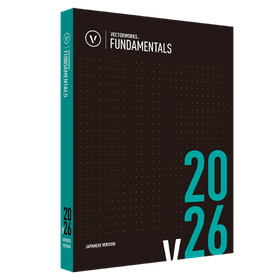
Vectorworks Fundamentals 2026

Standalone version lease monthly fee: 5,600 yen (excluding tax)

Introduction to Vectorworks 2026 Standalone Version Usage Type Can be differentiated by environment One license can be installed on two machines. Designers can differentiate usage based on the environment, such as using a desktop in the office and a portable machine for outings. *Only one machine can operate simultaneously. No license authentication or procedures required Startup uses internet authentication. After the initial authentication, it can be used for 90 days even when not connected to the network. *After the initial authentication, if started in an environment connected to the network, authentication will be performed automatically.

  • Drawing, tracing, CAD
  • Modeling software

Added to bookmarks

Bookmarks list

Bookmark has been removed

Bookmarks list

You can't add any more bookmarks

By registering as a member, you can increase the number of bookmarks you can save and organize them with labels.

Free membership registration

3D modeling software 'SketchUp Subscription'

SketchUp Pro, the most popular 3D modeling software in the world, developed as "Everyone's 3D."

The "SketchUp Pro Subscription" is a versatile 3D modeling software used worldwide with 33.5 million activations annually and over 1 billion projects. It is utilized across a wide range of fields including urban planning, architecture, commercial facilities, interior design, construction, civil engineering, marine engineering, landscaping, plants, food and beverage, education, manufacturing, film, and local government. 【Features】 ■ You can create various shapes using the iconic "Push/Pull" tool. ■ 3D models can be easily created with intuitive operations using minimal commands. ■ Access to the world's largest 3D material download site, "3DWarehouse," is available for free. https://3dwarehouse.sketchup.com/?hl=en ■ It is adopted by many companies through integration with BIM/CIM tools. ■ Users can add functionalities according to their preferences with over 800 plugin software options. https://extensions.sketchup.com/ *For more details, please refer to the PDF materials or feel free to contact us.

  • Other Software
  • Modeling software

Added to bookmarks

Bookmarks list

Bookmark has been removed

Bookmarks list

You can't add any more bookmarks

By registering as a member, you can increase the number of bookmarks you can save and organize them with labels.

Free membership registration

SketchUP Studio

SketchUP Studio enables intuitive modeling based on point cloud data obtained from the DPI/Dot3D series!

SketchUP Studio is an architecture and civil engineering software that allows for free 3D modeling with intuitive operations. You can freely model based on point cloud data scanned with the DPI/Dot3D series to match the shapes. The modeled data can be exported in STL and other file formats, enabling the use of 3D data in BIM/CIM. It can be introduced at a low cost with a one-year subscription license. Please consider this low-cost, intuitive, and high-performance software!

  • others
  • Modeling software

Added to bookmarks

Bookmarks list

Bookmark has been removed

Bookmarks list

You can't add any more bookmarks

By registering as a member, you can increase the number of bookmarks you can save and organize them with labels.

Free membership registration